
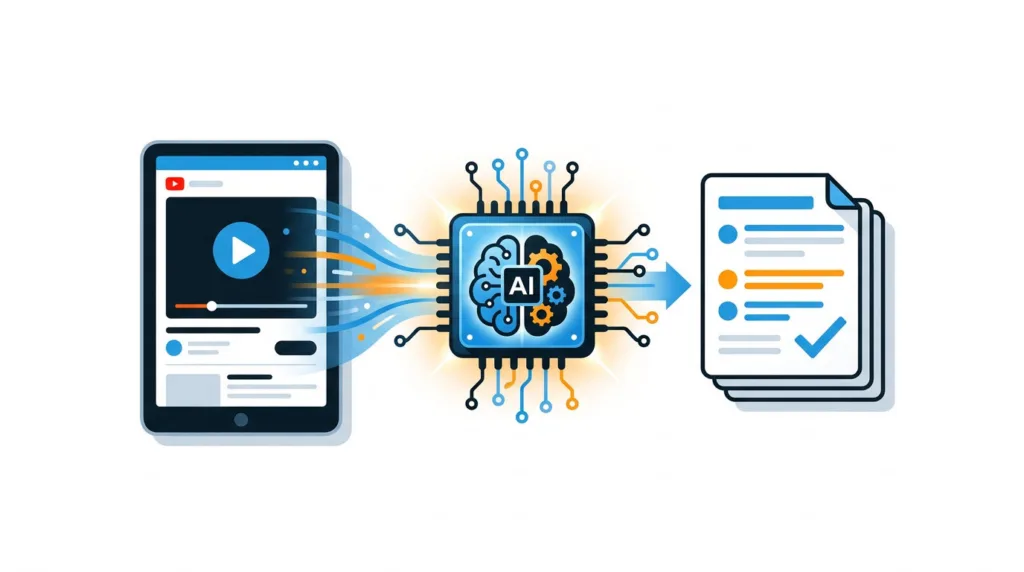

A 90-minute keynote may contain only ten minutes of material you need, yet skipping through the video often takes almost as long as watching it. Copying the transcript into an AI tool can save time, but a weak prompt may produce vague notes, incorrect claims, and missing context. For Buzz Feed Up readers tracking product launches, AI announcements, and technical interviews, the summary must also preserve names, dates, qualifications, and source timestamps.
Quick answer: How to summarize YouTube videos with AI
Use this workflow to turn a YouTube video into a concise, verifiable summary:
- Define whether you need an overview, detailed notes, action items, or research evidence.
- Open YouTube’s transcript and copy the text with timestamps when available.
- Clean obvious transcript errors and divide long transcripts into manageable sections.
- Give the transcript to an AI tool with explicit instructions about format and accuracy.
- Check names, numbers, quotations, and major claims against the original video.
- Convert the verified output into key takeaways, chapter notes, or searchable records.
- Save the summary with the video URL, title, channel, publication date, and timestamps.
Do not ask an AI assistant to summarize a link and assume it watched the entire video. Confirm what source material the tool actually received.
1. Define the YouTube video summary you need
Start with the intended use of the notes. A summary for deciding whether to watch a video is different from a summary used to write an article, prepare for a meeting, or study for an exam.
A useful format for a product announcement might contain a two-sentence overview, every announced product, claimed specifications, release dates, unresolved questions, and timestamps. A lecture summary may need definitions, arguments, supporting examples, and review questions. Meeting-style notes should emphasize decisions and assigned actions.
Use one output format consistently when comparing several videos. If you are reviewing three smartphone launch events, for example, ask for the same fields each time: model names, processor, cameras, display, software features, availability, and claims that require independent verification. Standardization makes the summaries searchable and exposes gaps.
The running example in this guide is Stanford’s public video of Steve Jobs’ 2005 commencement address. It is short enough to verify manually but structured enough to show where AI summaries fail. The speech contains three stories about connecting past experiences, recovering from professional loss, and recognizing the limits imposed by mortality.
A generic request such as “summarize this speech” will probably capture those themes. It may omit the calligraphy example, blur Apple’s history, or turn a personal story into broad motivational advice. Define the output before touching the transcript.
For this example, the requested result will contain a 100-word overview, three section summaries, five takeaways, and timestamped evidence for each main theme.
2. Get a transcript for the AI YouTube summary
A transcript gives the model direct access to the spoken words. This is usually more reliable than asking it to infer the contents from a URL, title, description, or comments.
On YouTube, open the video description area and select Show transcript when that option is available. You can follow YouTube’s official transcript instructions for the current desktop and mobile controls. Depending on the video, the transcript may include creator-supplied captions or captions generated by automatic speech recognition.
Keep timestamps during the first extraction. They add clutter, but they let you locate the original statement when an AI-generated note looks suspicious. You can remove them later for a clean reading copy.
For the commencement speech, divide the transcript around the three stories already signposted by the speaker. This creates meaningful sections instead of arbitrary blocks. Preserve the introduction and final quotation as separate passages because they frame the argument.
Some videos do not have a transcript. In that case, obtain the audio only when you have permission to process it, then use a speech-to-text service. Review the resulting text before summarization. Technical product names, acronyms, and speaker names are common transcription failures.
A generated transcript also misses visual information. A phone comparison may show battery capacity, benchmark charts, or prices on screen without reading them aloud. Add short annotations such as [slide: battery comparison between Model A and Model B] at the correct point in the text. If visuals carry most of the information, transcript-only summarization is the wrong method.
Private, paid, or internal videos need additional care. Check who is allowed to access the material before uploading a transcript to a third-party service. For ChatGPT users, OpenAI explains account and training settings in its data controls documentation. Apply the corresponding privacy review to whichever platform you choose.
3. Clean and split the transcript before AI summarizes it
Raw YouTube transcripts often contain repeated phrases, incorrect punctuation, missing speaker labels, and phonetic guesses. Clean errors that can change meaning. Leave harmless filler alone unless it consumes a large part of the text.
For technology videos, pay particular attention to model numbers. A transcription system may turn “GPT-4o” into “GPT four oh,” confuse “15 Pro” with “15 Pro Max,” or interpret a company name as an ordinary word. Correcting these terms before summarization reduces errors downstream.
Do not rewrite the speaker’s argument while cleaning. If a claim sounds doubtful, preserve it and mark it for verification. Editing it into something more plausible contaminates the source.
Long transcripts may exceed a tool’s working limit or receive shallow treatment even when they technically fit. Split them by chapters, topic changes, speakers, or question-and-answer segments. Avoid cutting every fixed number of words because a claim and its qualification can land in separate chunks.
Use a two-stage process for very long videos. First, summarize each section with the same template. Then provide those section summaries to the model and request a consolidated version. Tell it to retain disagreements, caveats, and repeated themes rather than merging everything into one confident statement.
The commencement speech does not require chunking for length, but separating its stories improves the result. The “connecting the dots” section keeps the Reed College calligraphy example attached to later Macintosh typography. The section about being fired from Apple keeps NeXT and Pixar within the same career sequence. The mortality section retains the medical story that gives the advice its weight.
4. Prompt AI to summarize the YouTube video accurately
A strong prompt identifies the source, audience, output structure, and evidence rules. It also tells the model how to handle uncertainty. Paste instructions before the transcript so they are not mistaken for words spoken in the video.
This reusable prompt works for interviews, lectures, reviews, and announcements:
“`text Summarize the YouTube transcript below for a reader who has not watched the video.
Produce:
- A factual overview of no more than 100 words.
- A section-by-section summary in the original order.
- Five key takeaways.
- Important names, dates, numbers, products, and decisions.
- Timestamps supporting each major point when timestamps are present.
- A separate “Needs verification” section for unclear or unsupported claims.
Use only information contained in the transcript. Do not add background facts from memory. Preserve qualifications and disagreements. If the transcript is unclear, quote the relevant wording and label it unclear.
Transcript: [PASTE TRANSCRIPT] “`
For the worked example, add: “Keep the three stories separate and explain the concrete event supporting each lesson.” This prevents the model from returning five interchangeable pieces of career advice.
When processing a product launch, adjust the schema. Ask for announced features, availability, demonstrations, comparisons, and claims that came from the presenter. Do not allow the output to present a manufacturer’s marketing claim as an independently proven fact.
Follow-up prompts can make the result more useful. Ask the model to compress a verified summary into 50 words, generate a table of claims and timestamps, or extract questions that the video leaves unanswered. Keep the original full summary. Repeated compression eventually removes qualifications that matter.
5. Verify an AI-generated YouTube video summary
AI output should be treated as a draft. Verification is essential when the notes will support an article, purchase decision, report, or academic submission.
Check every proper noun and number first. These items are easy to locate and disproportionately damaging when wrong. Then compare each major takeaway with the relevant timestamp. Make sure the speaker actually made the claim and that the summary retained nearby qualifications.
In the commencement example, an AI draft may say Jobs “founded Pixar after leaving Apple.” That wording is too compressed. The speech describes buying what became Pixar and also founding NeXT during the period after Apple. A casual summary can merge the events into a cleaner story than the source supports.
Quotations need direct checking. Language models often reproduce the meaning of a sentence while placing quotation marks around wording that was never spoken exactly. Search the transcript, play the relevant passage, and copy the words from the source. Use a paraphrase when exact wording cannot be confirmed.
Watch for missing counterpoints. During an interview, a guest might make a bold prediction and then narrow it after the host challenges them. A summary based on the first statement alone misrepresents the exchange. Preserve the final position or explain how it changed.
Use this comparison when choosing the verification level:
| Use case | Suitable source input | Required checks | Recommended output |
|---|---|---|---|
| Deciding whether to watch | Automatic transcript | Main topic and conclusion | 5-sentence overview |
| Personal study notes | Transcript with timestamps | Definitions and section order | Chapter notes and questions |
| Product research | Transcript plus visual annotations | Specifications, dates, prices, demonstrations | Claim table with timestamps |
| Published article | Transcript, video, and supporting sources | Every quote, name, number, and factual assertion | Verified editorial notes |
| Internal confidential work | Approved transcript source | Access permissions and sensitive data | Restricted notes with source record |
The extra work should match the consequence of an error. A rough personal digest may need a two-minute spot check. Material prepared for publication needs line-by-line verification of every claim used.
6. Turn the AI YouTube summary into useful notes

One long paragraph is difficult to scan and nearly impossible to reuse. Convert the verified summary into a format designed for the next task.
For research, keep a source header containing the exact video title, channel, URL, upload date, access date, and transcript type. Below that, store the short overview, chapter notes, key claims, quotations, and follow-up questions. Put timestamps beside the claims rather than collecting them in a detached list.
For study, convert each major section into a question and answer. Add a one-sentence explanation of how examples support the main argument. Ask AI to create practice questions only after the factual notes have been checked, since a flawed summary will produce flawed questions.
For content planning, separate what happened from what it means. A keynote summary may accurately list five announcements while offering no sense of which changes affect users. Add an editorial layer after verification: expected impact, unresolved details, competing products, and earlier reporting.
This is where related research becomes useful. A video announcing an AI feature can be checked against Buzz Feed Up’s coverage of Google’s AI note-taking assistant or its report on Gemini features for YouTube creators. Those articles provide context, while the transcript remains the source for what was said in the specific video.
For the commencement speech, a practical final note has three timestamped sections, not a single inspirational paragraph. Each section records the story, the lesson Jobs drew from it, and the event used as evidence. The closing phrase belongs in a verified quotation field rather than being scattered through the summary.
7. Store YouTube summaries so they stay searchable
A summary loses value if you cannot find it three months later. Use predictable titles and metadata.
A workable filename is 2005-06-12-steve-jobs-stanford-commencement-summary. For technology research, include the company, event, product, and year. Keep tags specific enough to filter, such as smartphone-launch, AI-assistant, or wearable-health, rather than tagging every note with technology.
Store the original transcript or a reference to it beside the summary. AI tools change, and you may want to run a better prompt later. Keeping the source also lets another editor audit the notes.
Searchable summaries benefit from consistent fields. If every product-event record contains “Availability,” “Specifications,” “Claims,” and “Open questions,” you can compare announcements without rereading each file. The same principle works for lectures, podcasts, earnings calls, and conference sessions.
Do not overwrite detailed notes with a shorter version. Save the short overview as an additional layer. Compression is easy to repeat, but missing evidence is expensive to recover.
Choosing an AI tool for YouTube video summaries
Tool choice matters less than source access and verification, but different workflows suit different jobs. A general AI assistant is flexible when you can paste a clean transcript and define a custom format. A transcript-focused browser extension can be faster for casual summaries, although it may offer fewer controls over privacy, evidence, and output structure.
Source-grounded notebook tools are useful when several videos must be analyzed together. Add each approved source, request individual summaries, and then ask cross-source questions such as which speakers agree, which dates conflict, or which products appear repeatedly. Confirm that citations point to the correct source passage.
Models with large context windows can accept longer transcripts, but capacity does not guarantee attention. A model may accept a two-hour transcript and still underrepresent the middle. Section summaries followed by synthesis usually produce more inspectable work.
Free access tiers can handle occasional transcripts, though usage limits, file limits, and available models may change. Check current terms inside the service before committing a recurring workflow. Buzz Feed Up’s guide to the best AI tools for work, research, and productivity can help narrow the options by task rather than brand recognition.
How Buzz Feed Up fits YouTube summaries into technology research
An AI summary is most useful when it becomes one source within a broader research process. Buzz Feed Up covers AI systems, devices, platform changes, and product announcements, so readers often encounter a video after seeing an initial report or before comparing a new claim with earlier coverage.
Start with the video transcript and extract what the speaker actually announced. Next, check existing reporting for background. For a phone event, that might include the preview of the Google Pixel 9 event and the later report on the Pixel 9 series announcement.
Then label differences between a preview, an on-stage claim, and confirmed availability. AI can organize those records, but it should not erase their status. A rumor published before an event is not retroactively an official announcement, and a demonstration is not proof that a feature works under ordinary conditions.
The same process applies to model announcements. Use the transcript for the speaker’s wording, prior coverage for chronology, and official documentation for technical confirmation. Readers interested in how these systems affect publishing can also consult the future of SEO in a world shaped by ChatGPT.
This research structure removes repeated searching without outsourcing editorial judgment. The result is a concise note that remains traceable to the video and connected to the wider story.
Common mistakes when summarizing YouTube videos with AI
The first mistake is giving the tool only a URL without checking whether it can access the video or transcript. Some assistants may rely on the title, description, indexed snippets, or previous knowledge. Ask what content was retrieved, then provide the transcript directly when the answer is unclear.
The second is requesting an extremely short summary at the start. A five-bullet output may discard evidence before you know what matters. Generate structured notes first and compress them after verification.
Another failure mode is treating automatic captions as authoritative. Poor audio, multiple speakers, specialized vocabulary, and accents can introduce errors. Correct critical terms and mark uncertain passages.
Writers also confuse what appears in the video with what is true. A presenter can make an unverified performance claim. Phrase the note as “the company says” until independent evidence supports stronger wording.
Finally, avoid uploading confidential recordings without an approved process. Convenience does not override access restrictions, contractual terms, or personal privacy.
FAQ about summarizing YouTube videos with AI
Can AI summarize a YouTube video from the link alone?
Sometimes, but access varies by tool, account, region, and video. The assistant may receive a transcript, limited metadata, or no video content at all. Ask it to identify the material it used. For dependable results, paste or upload an approved transcript and keep timestamps.
Can I summarize a YouTube video without a transcript?
Yes. Transcribe the audio with a speech-to-text tool, then review the text for names, numbers, and technical terms. Add notes for charts, demonstrations, or on-screen text because audio transcription cannot capture visual evidence reliably.
What is the best prompt for summarizing a long YouTube video?
Specify the audience, desired length, output sections, evidence requirements, and treatment of uncertainty. Ask for a chronological summary, key takeaways, named entities, timestamps, and a separate verification section. For long videos, process sections first and synthesize their summaries afterward.
How long can a video be before I need to split the transcript?
There is no universal duration because speech rate, context limits, and model behavior vary. Split the transcript when the tool rejects it, overlooks sections, or produces an uneven summary. Chapters and topic changes make better boundaries than fixed word counts.
Are AI-generated video summaries accurate?
They can capture major themes well when given a clear transcript, but they can still misstate names, combine separate events, invent quotations, or remove qualifications. Accuracy depends on source quality, prompt design, and human verification. Check every detail that will influence a decision or appear in published work.
Is it legal to summarize a YouTube video with AI?
Summarizing material for personal notes is different from republishing a transcript or distributing copyrighted content. Consider copyright, platform terms, confidentiality, and fair-use rules applicable to your location and intended use. When publishing, write an original summary, attribute the source, and quote only what is necessary.
Can AI summarize several YouTube videos at once?
Yes. Summarize each video separately with the same schema, verify the notes, and then ask the model to compare the approved summaries. Keep source labels attached to every claim so the combined output does not attribute one speaker’s statement to another.
Should I use timestamps in the final summary?
Use them whenever the reader may need to verify a claim, revisit a demonstration, or jump to a chapter. They are especially valuable for research and publication. A short personal overview may omit them, but the underlying detailed notes should retain them.
The practical choice is straightforward: use a transcript-first workflow for anything important, request structured output, and verify the details against the video. Link-only summaries are suitable for quick orientation. Research, publishing, and professional decisions require traceable notes with timestamps and preserved source context.


